Cornhole Board Distance Calculator
Cornhole Board Distance Calculator
Calculate official & recommended throwing distances for cornhole (baggo), including front-to-front, hole-to-hole, and total playing area needed. Supports metric & imperial units.
Cornhole Board Distance Calculator: Plan the Perfect Game Setup Every Time
If you’ve ever hosted a backyard game day, you know how tricky it can be to set up cornhole boards perfectly. Too close, and tossing the bags becomes too easy. Too far, and the game turns frustrating for casual players. That’s where the Cornhole Board Distance Calculator comes in—a simple, precise tool that helps you measure the ideal front-to-front distance, hole-to-hole spacing, and overall playing area, whether you’re a casual player, family enthusiast, or tournament competitor.
This calculator is designed to save time, reduce guesswork, and ensure everyone has a fair and enjoyable game. By inputting your player type and preferred measurement units, you can instantly get accurate distances for a range of setups.
Why Proper Cornhole Board Distance Matters
Getting the spacing right isn’t just about following rules—it directly affects gameplay quality and player enjoyment. Consider:
-
Casual backyard games: Too short a distance makes it too easy, reducing challenge.
-
Tournament play: Precision spacing is critical to match official ACA rules.
-
Youth games: Adjusted distances ensure kids can reach the board without strain.
Correct distances prevent frustration, keep games competitive, and create a fun atmosphere for all skill levels.
How the Cornhole Board Distance Calculator Works
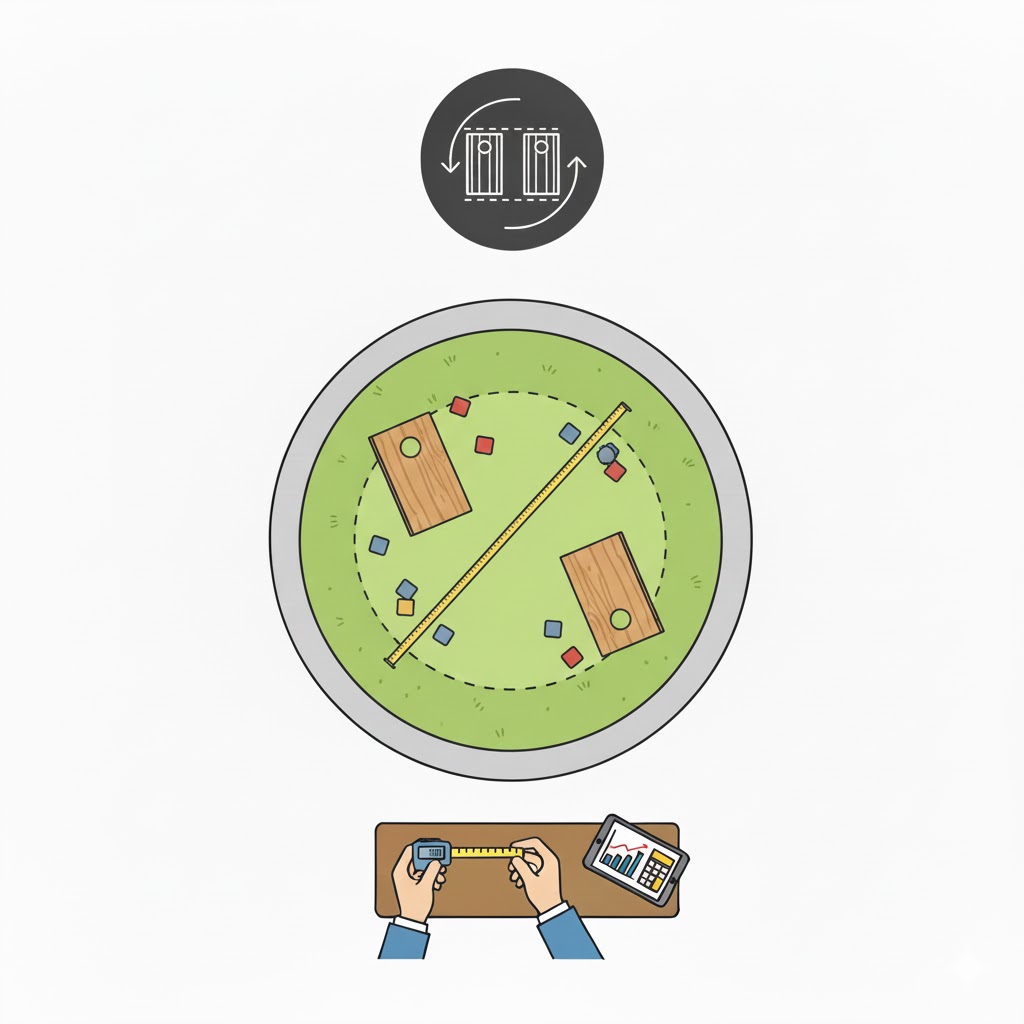
Our tool simplifies setup by calculating the distances using official guidelines, user preferences, and board dimensions. Here’s a breakdown:
-
Select Player Level / Game Type: Choose from Casual, Recreational, Tournament, Youth, or Custom.
-
Pick Units: Metric (meters) or Imperial (feet/inches).
-
Custom Distance (Optional): If you select “Custom,” enter your desired front-to-front distance.
Calculation Logic
The calculator uses these key formulas:
-
Hole-to-Hole Distance:
Where holeToFront is the distance from the front of the board to the center of the hole (6 in / 0.305 m).
-
Center-to-Center Distance:
boardLength is standard (4 ft / 1.22 m).
-
Minimum Total Playing Length:
-
Approximate Playing Area:
Assuming 3 m / 9–10 ft width for player movement.
This ensures all critical measurements—front-to-front, hole-to-hole, center-to-center, and overall area—are provided with a single click.
Step-by-Step Examples
Example 1: Backyard Fun (Casual)
-
Player level: Casual
-
Unit: Metric
-
Front-to-front distance: 8.23 m
Calculations:
-
Hole-to-hole:
8.23 - (0.305 * 2) ≈ 7.62 m -
Center-to-center:
7.62 + (1.22 * 2) ≈ 10.06 m -
Total area (assuming 3 m width):
10.06 * 3 ≈ 30.2 m²
Result: Perfect for a relaxed backyard game.
Example 2: Youth Game
-
Player level: Youth
-
Unit: Imperial
-
Front-to-front distance: 20 ft
Calculations:
-
Hole-to-hole:
20 - (1 * 2) = 18 ft -
Center-to-center:
18 + (4 * 2) = 26 ft -
Total area:
28 * 9 ≈ 252 ft²
Result: Adjusted for younger players, making tossing easier and more enjoyable.
Example 3: Custom Tournament Setup
-
Player level: Custom
-
Custom front-to-front: 30 ft
-
Unit: Imperial
Calculations:
-
Hole-to-hole:
30 - (1 * 2) = 28 ft -
Center-to-center:
28 + (4 * 2) = 36 ft -
Total area:
36 * 9 ≈ 324 ft²
Result: Matches official ACA tournament standards with slight user customization.
These examples show how the calculator adapts to different skill levels and playing contexts.
Practical Tips for Setup
-
Mark distances with stakes or tape: Ensures repeatable, accurate placement.
-
Check ground level: Uneven surfaces affect bag toss trajectory.
-
Leave side space: Minimum 1 m / 3 ft on either side prevents interference.
-
Test before finalizing: Adjust distances for comfort and skill level.
By testing multiple setups using the calculator, you can tailor gameplay to your exact environment.
Related Tools for Game Planning
-
VR Headset Room Scale Space Calculator – Plan your physical space for interactive games.
-
Gaming PC Case Airflow Tool – Ensure your gaming setup stays cool during long sessions.
-
Explore more Sports & Recreation Tools to enhance backyard fun and organized play.
FAQs
Q1: Can I use the calculator for indoor cornhole games?
Yes! Simply measure available space, select “Custom,” and enter your preferred front-to-front distance. The calculator will provide hole-to-hole and total area accordingly.
Q2: What if my boards aren’t standard size?
Use the custom distance feature to adjust the front-to-front or board length. Our formulas will automatically recalculate all related distances.
Q3: Which unit should I use: metric or imperial?
Choose the unit system you are most comfortable with. The calculator supports both and will provide all related distances accordingly.
Conclusion
The Cornhole Board Distance Calculator makes setting up your game fast, precise, and stress-free. By providing front-to-front, hole-to-hole, center-to-center distances, and total play area, it ensures fair gameplay for all skill levels—from kids to tournament pros.
Test different scenarios, experiment with distances, and optimize your backyard or competitive setup. This tool is your ultimate guide to creating the perfect cornhole experience every time.