YouTube Studio Lighting Kit Calculator
YouTube Studio Lighting Kit Calculator
Estimate if your lighting kit provides enough brightness for professional YouTube videos. Input your setup details to check suitability for talking heads, tutorials, or vlogs (ideal for 1080p/4K recording).
YouTube Studio Lighting Kit Calculator: Optimize Your Video Lighting Like a Pro
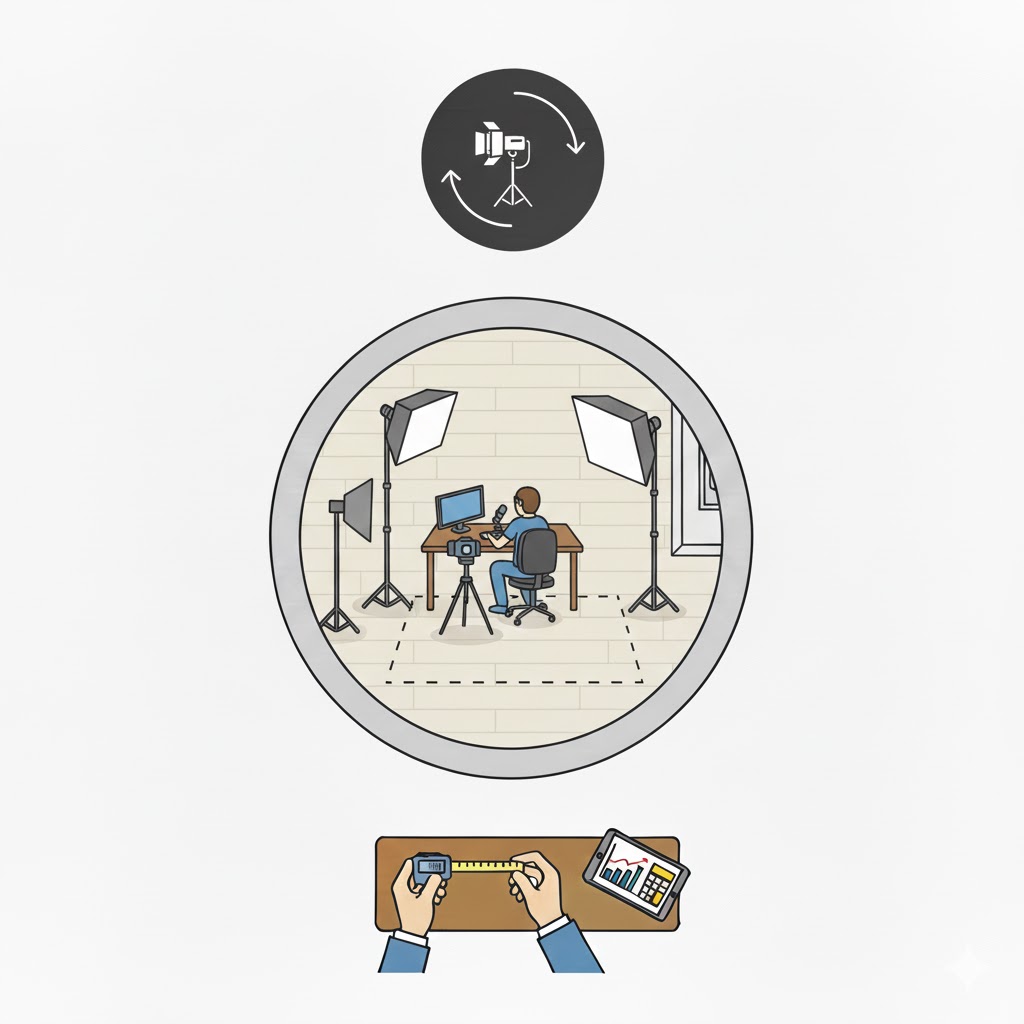
Creating professional-looking YouTube videos isn’t just about having a high-end camera or trendy background—it starts with proper lighting. That’s where the YouTube Studio Lighting Kit Calculator comes in. Imagine you’ve just set up a cozy home studio, but your videos look dim, shadows dominate your face, or skin tones appear flat. This tool helps you assess whether your lighting setup is sufficient, guiding you toward the perfect brightness for talking heads, tutorials, or vlogs, whether you record in 1080p or 4K.
With just a few inputs—room size, video quality goal, lighting setup type, lumens, and distance to your subject—you can instantly see whether your current lights are enough or if an upgrade is needed.
Why Proper Lighting Matters in YouTube Production
Lighting transforms your content from amateurish to professional. Poor lighting can cause:
-
Harsh shadows or washed-out colors.
-
Noise in the image due to high ISO.
-
Lack of depth, making backgrounds and subjects blend together.
On the other hand, correctly measured illumination ensures:
-
Even skin tones and flattering highlights.
-
Crisp, clean video, reducing post-production corrections.
-
Professional aesthetics that retain viewers and improve engagement.
How the YouTube Studio Lighting Kit Calculator Works
This calculator simplifies complex lighting math into a few intuitive steps:
-
Input your studio dimensions – either in square meters or square feet.
-
Select desired video quality – Basic, Standard, or Premium, which corresponds to typical lux levels at the subject’s face.
-
Choose your lighting setup – Single Key, Two-Point (Key + Fill), or Three-Point (Key + Fill + Backlight).
-
Enter current lumens from your kit and approximate distance to the subject.
Calculation logic explained simply:
Where:
-
Target Lux depends on video quality: Basic ~500 lux, Standard ~1000 lux, Premium ~2000 lux.
-
Setup Factor adjusts for complexity: Single = 1, Two-Point = 1.5, Three-Point = 2.
-
Diffusion Factor (~1.5) accounts for light spread, softboxes, or reflective surfaces.
The tool then compares your current lumens to the calculated requirement and provides an assessment: Excellent, Good, Adequate, or Insufficient, with practical advice for improvement.
Step-by-Step Examples
Example 1: Small Desk Studio, Standard Quality
-
Area: 12 m²
-
Quality: Standard (1000 lux)
-
Setup: Three-Point
-
Current Lumens: 5000
-
Distance: 1.5 m
Calculation:
Assessment: 5000 lumens is Insufficient. You’ll need stronger panels or additional lights.
Example 2: Medium Studio, Premium Quality
-
Area: 20 m²
-
Quality: Premium (2000 lux)
-
Setup: Two-Point
-
Current Lumens: 50,000
-
Distance: 2 m
Calculation:
Assessment: 50,000 lumens is Adequate for basic filming but won’t achieve full 4K professional look.
Example 3: Compact Studio, Standard Quality, Single Key Light
-
Area: 8 m²
-
Quality: Standard
-
Setup: Single Key
-
Current Lumens: 10,000
-
Distance: 1 m
Calculation:
Assessment: 10,000 lumens → Adequate, but adding a fill light would improve skin tone and shadow control.
Practical Tips for Content Creators
-
Softboxes or diffusers help prevent harsh shadows and hot spots.
-
5600K daylight bulbs are ideal for natural color balance.
-
Test light distance and intensity with your camera before filming.
-
For small rooms, a strong key light plus reflectors can suffice; larger rooms benefit from full three-point setups.
-
Popular kits like Elgato Key Lights or LED panels above 2500 lumens provide flexibility for various setups.
Related Tools You Might Find Useful
-
3D Printer Filament Length Tool – for makers balancing multiple projects.
-
Arduino Project Enclosure Size Estimator – plan your electronics workspace efficiently.
-
Explore Tech Setup Tools for more productivity calculators.
FAQs
Q1: Can I use this tool for mobile vlogs?
Yes! Simply enter your recording space and distance from the camera. Even small setups can benefit from proper lux calculations.
Q2: What if I only have one light panel?
The tool accounts for setup type. Single lights are considered, but adding fill or backlight improves depth and reduces harsh shadows.
Q3: How often should I recalculate lumens needed?
Whenever your room changes size, your camera or resolution changes, or you move lights further from the subject, recalculate to maintain consistent lighting quality.
Conclusion
The YouTube Studio Lighting Kit Calculator empowers creators to make data-driven decisions for their video lighting. By understanding lumens, lux, setup type, and distance, you can achieve crisp, professional-looking videos without guesswork. Experiment with different setups in the calculator, test with your camera, and watch your content transform.
Lighting is the secret ingredient that separates amateur videos from professional productions. Start calculating today and ensure every frame looks its best.