Artificial Turf Square Footage Tool
Artificial Turf Square Footage Tool
Calculate the exact square footage (or square meters) needed for your artificial turf project. Supports rectangular, circular, triangular, and custom irregular areas.
Artificial Turf Square Footage Tool: Accurately Plan Your Lawn Project
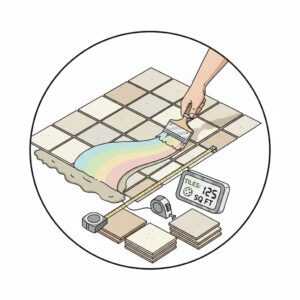
When it comes to designing a synthetic lawn or installing artificial grass, one of the biggest challenges homeowners and landscapers face is figuring out exactly how much material they need. Ordering too little can result in frustrating shortages, while buying too much wastes money and space. That’s where the Artificial Turf Square Footage Tool becomes invaluable. This tool allows you to calculate the precise area of your lawn, including extra for cuts, seams, and installation waste, ensuring your project runs smoothly from start to finish.
Whether you are transforming a backyard into a low-maintenance green haven or designing a custom garden for a commercial property, this tool helps you save both time and money while giving you a clear understanding of your turf requirements.
Why Measuring Your Lawn Accurately Matters
Installing artificial grass might seem straightforward, but improper measurement can lead to unexpected complications:
-
Over-ordering results in extra cost and storage issues.
-
Under-ordering interrupts installation and may force you to order more, potentially causing color variations between batches.
-
Miscalculations in irregularly shaped areas can waste time and labor.
By using a reliable artificial grass area calculator, you ensure precise planning, avoid costly mistakes, and gain confidence in your project decisions.

How the Artificial Turf Square Footage Tool Works
The tool is designed to be intuitive yet precise. Here’s a breakdown of its logic:
-
Select the Shape of Your Area
-
Rectangle: Input length and width.
-
Circle: Input radius (or half of the diameter).
-
Triangle: Input base and height.
-
Custom/Multiple Areas: Define multiple rectangles to sum up irregular areas.
-
-
Choose the Unit of Measurement
Options include square feet (ft²), square meters (m²), or square yards (yd²). -
Add Waste Percentage
A recommended 5–10% is added automatically to account for cutting, seams, and fitting. This ensures your total turf covers even tricky layouts. -
Calculation Logic
The tool calculates the base area first:-
Rectangle:
Area = Length × Width -
Circle:
Area = π × Radius² -
Triangle:
Area = 0.5 × Base × Height -
Custom: Sum of each rectangle’s area
It then calculates waste:
Waste Area = Base Area × (Waste % / 100)Finally, it provides the total recommended area:
Total = Base Area + Waste Area. -
This approach ensures that all calculations are precise, transparent, and easy for the user to understand.
Step-by-Step Examples
Example 1: Standard Rectangular Backyard
-
Length: 20 ft
-
Width: 10 ft
-
Waste: 10%
Calculation:
Outcome: Order 220 ft² of artificial turf for a seamless installation.
Example 2: Circular Garden Patch
-
Radius: 5 ft
-
Waste: 8%
Calculation:
Outcome: A slightly rounded-up order ensures full coverage without gaps.
Example 3: Irregular Multi-Rectangle Lawn
-
Area 1: 12 × 8 ft
-
Area 2: 10 × 6 ft
-
Waste: 10%
Calculation:
Outcome: Perfect for complex layouts like patios, side yards, or commercial landscaping.
Practical Tips for Using the Tool
-
Measure Twice, Order Once: Always verify your dimensions to avoid mistakes.
-
Consider Obstructions: Include trees, pathways, or fixtures separately if needed.
-
Adjust Waste % Based on Shape: More complex shapes may require closer to 15% extra.
-
Try Multiple Scenarios: The tool allows you to test different layouts for optimization.
Core Benefits of the Artificial Turf Square Footage Tool
-
Time-Saving: Quickly calculates areas without manual math.
-
Accurate Planning: Reduces over-ordering and shortages.
-
Versatile Units: Supports imperial and metric systems.
-
Custom Scenarios: Handles multiple areas for irregular lawns.
Related Tools You Might Find Useful
-
Fire Pit Ring Block Tool – Perfect for backyard project planning.
-
Outdoor Fireplace Brick Calculator – Estimate materials for a complete patio setup.
-
Low-Water Landscaping Calculator – Ideal for xeriscaping alongside artificial turf.
FAQs
1. Can this tool handle irregular lawn shapes?
Yes! By using the custom/multiple areas option, you can break complex layouts into smaller rectangles for accurate total coverage.
2. Why should I add waste percentage?
Adding 5–15% accounts for cuts, seams, and adjustments during installation, preventing material shortages.
3. Does it work with metric units?
Absolutely! You can choose between square feet, square meters, or square yards, making it suitable for global use.
Conclusion
The Artificial Turf Square Footage Tool is a must-have for anyone planning a synthetic lawn installation. By simplifying measurements, calculating waste, and providing precise totals, it saves time, money, and effort. Whether you’re a homeowner, landscaper, or DIY enthusiast, using this tool ensures a smooth and efficient project from start to finish.
Experiment with different dimensions, scenarios, and layouts, and pair it with other gardening and home improvement calculators for even smarter planning.